Getting Started
Updated:January 28, 2026
What is External Login in Mobile Connect?
Mobile Connect supports external login authentication, which redirects users to their device's default browser (such as Microsoft Edge or Chrome) instead of using the Mobile Connect in-app Chrome browser. This approach enables:
- Organizations to leverage additional conditional access policies and device compliance controls (e.g. Intune)
- Users can take advantage of saved credentials (in your browser) and automatic login features, reducing the need to manually enter usernames and passwords during the 12-hour re-authentication cycle
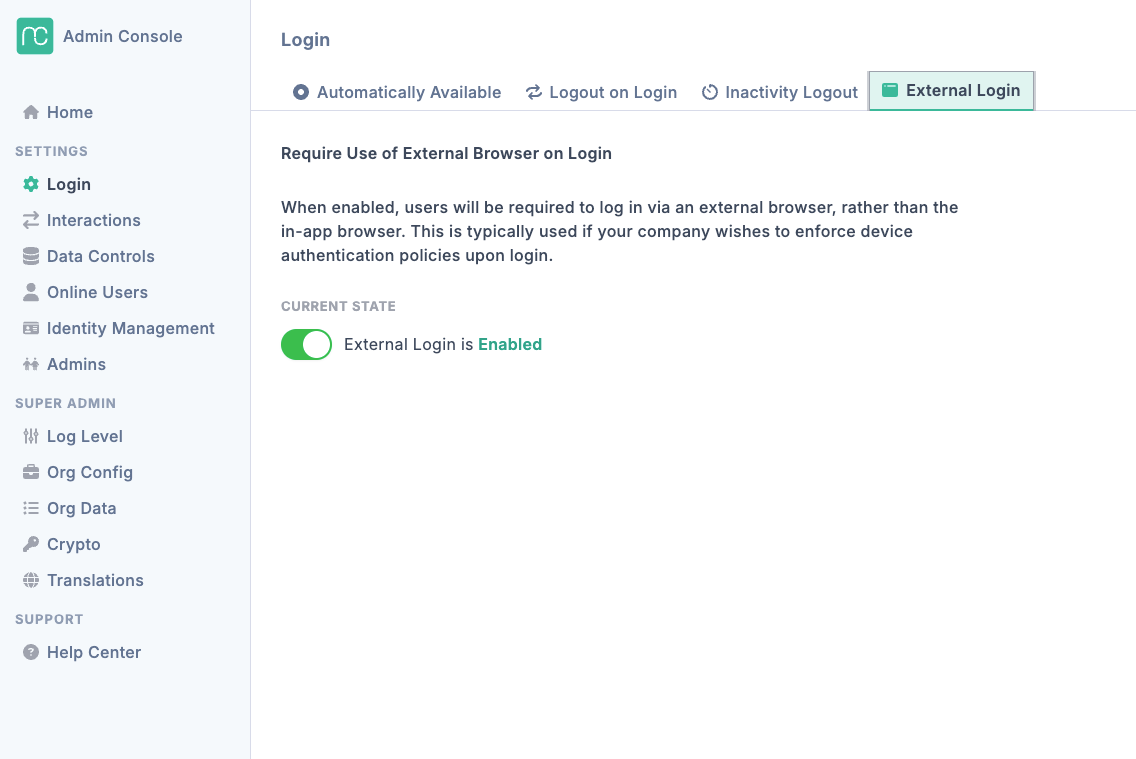
How to (de-)activate external login?#
If you have an SSO enabled organization (Azure, Salesforce, Google, Okta, ...), you organization will automatically have external login enabled. You can alway activate and de-activate the setting via the admin console. Go to admin console -> Login -> external login