
Configurations
Updated:May 29, 2026
How to change your Mobile Connect subscription
To update your Mobile Connect lisences, do the following steps:
-
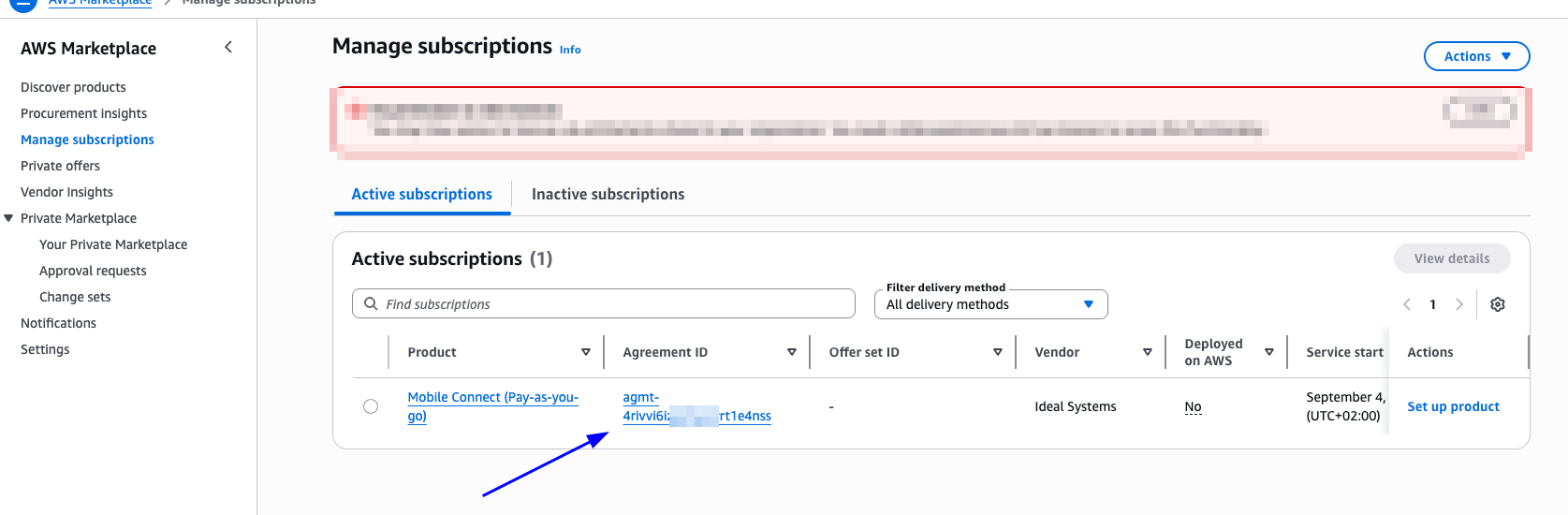
Navigate to the "Manage Subscriptions" page in AWS Marketplace
-
Look in the table for "Mobile Connect" and click on the Agreement ID.
-
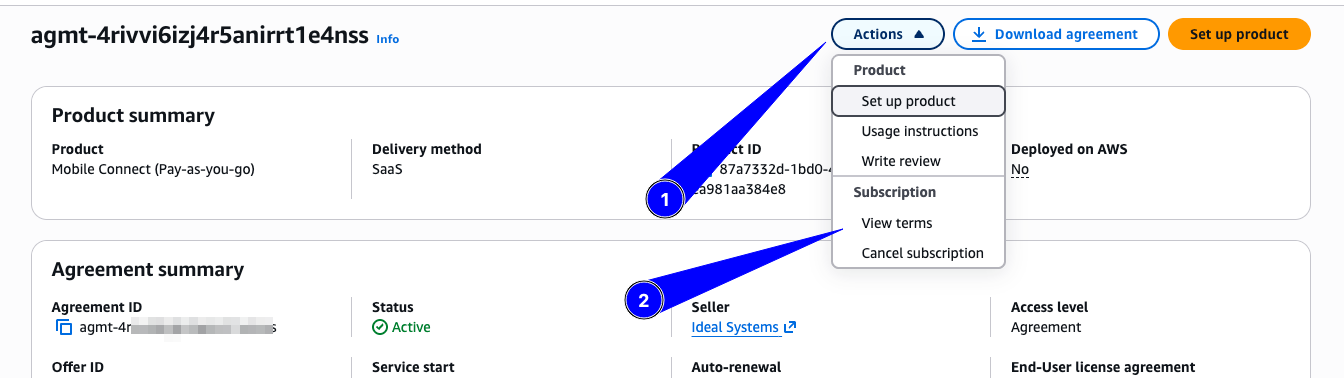
Click on "Actions" > "View terms"
-
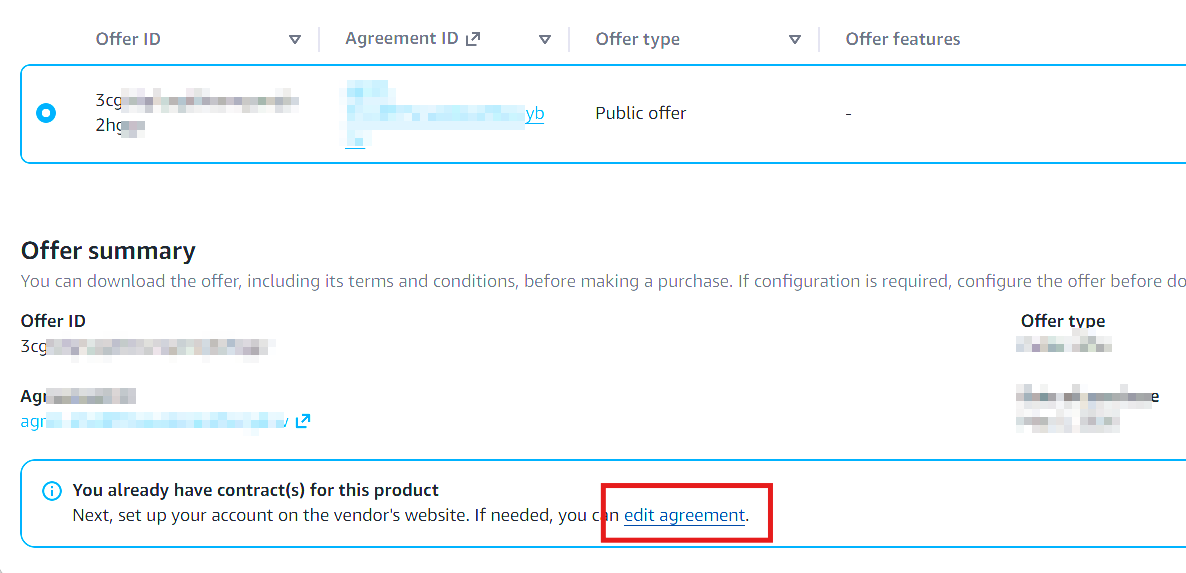
Look for the option to "Edit agreement", which is usually visible in a blue banner box
-
Update the license amounts how you see fit and save changes.

If you have problems during this flow, don't hesitate to reach out to mc.notifications@ideal-systems.com