
Troubleshooting
Configurations
Updated:January 28, 2026
How to resolve permission error on recents screen
1. Permission error#
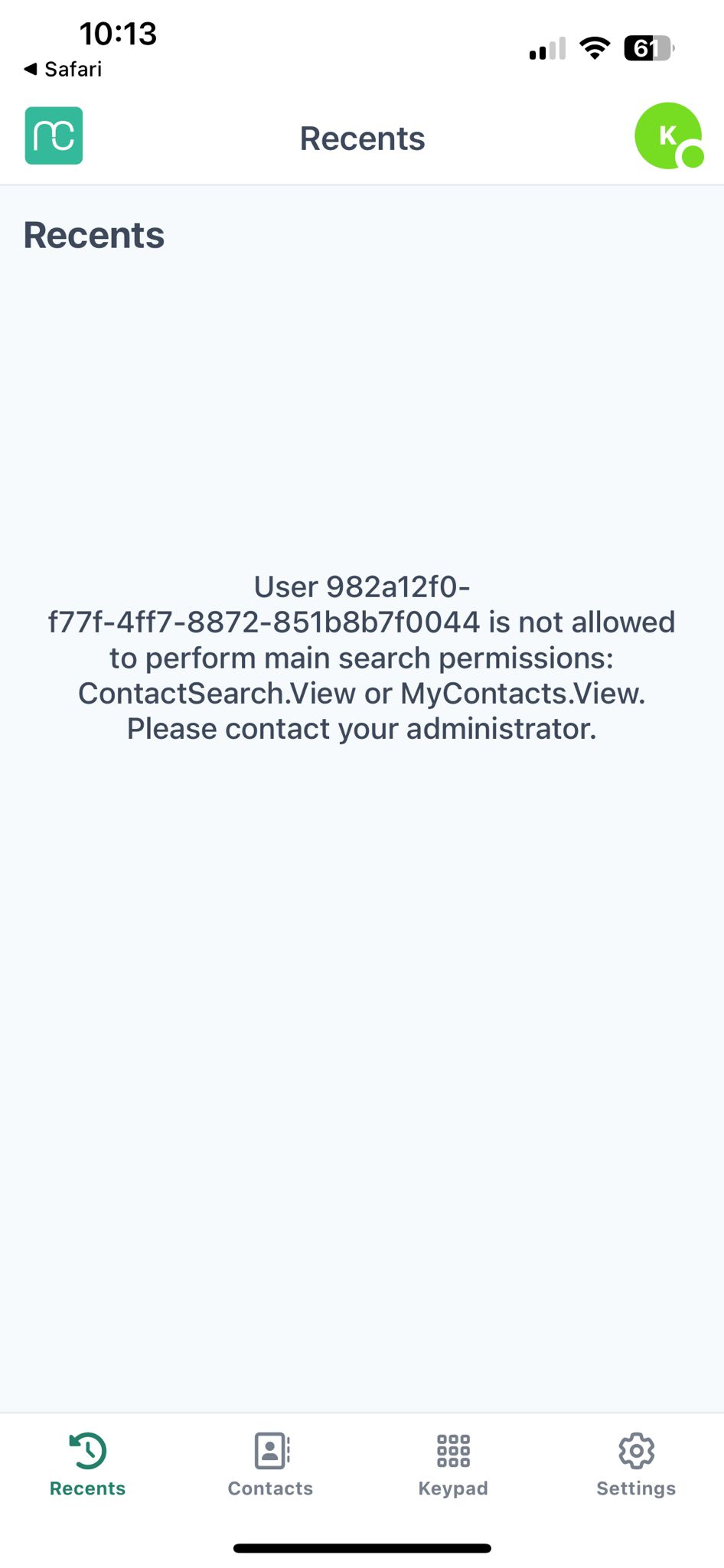
To see the "recents" page in Mobile Connect, additional permissions in Amazon Connect are required. The below error may display on your recents screen if your users have insufficient permissions in Amazon Connect.
2. How to resolve#
To resolve this, grant the required permissions to your users via Security Profile in Amazon Connect.
- Go to "users" -> "Security profiles"
- Add the following permissions under "Analytics and Optimization":
- Contact search (VIEW)
- Search contacts by keywords (VIEW)
- Contact attributes (VIEW)
- Save changes
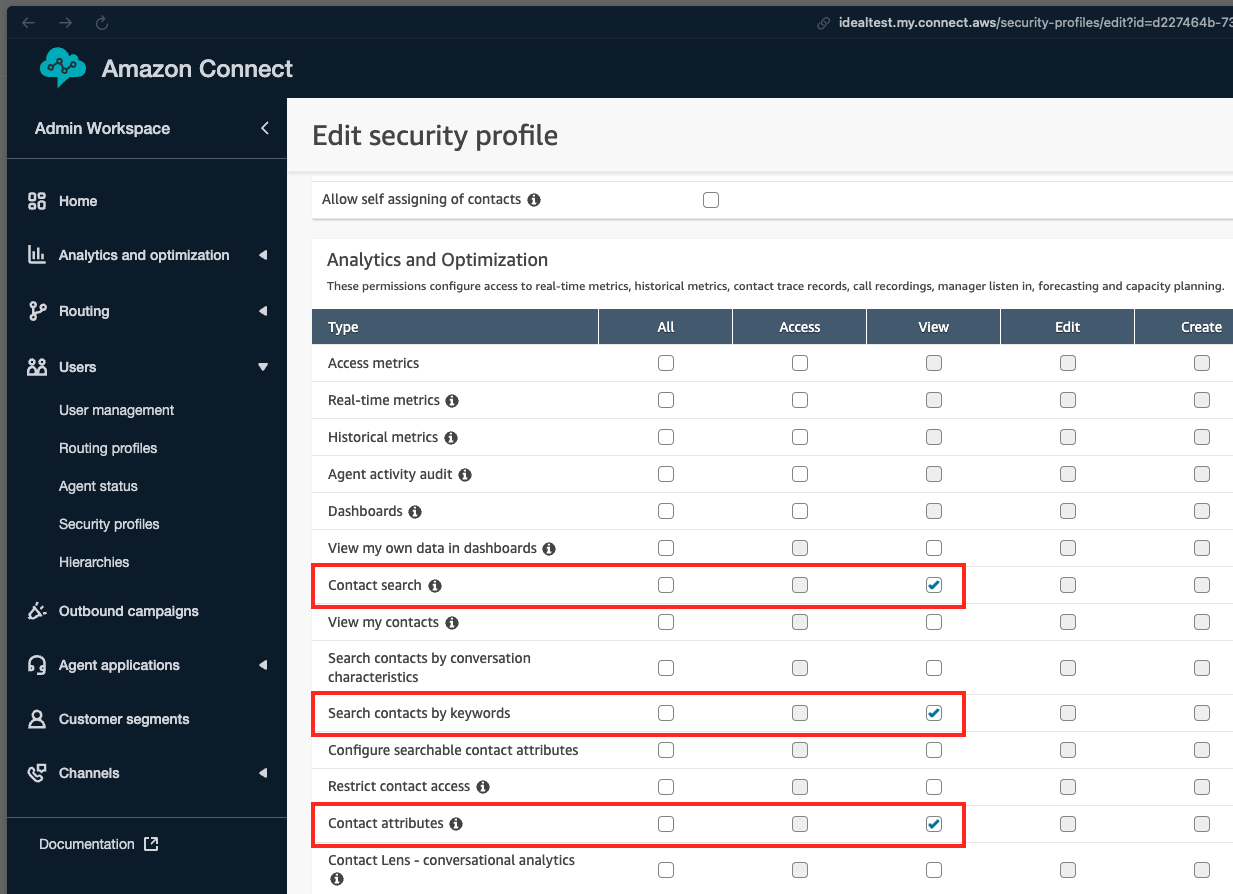
After this change, you should be able to refresh your recents screen and see your recent contacts history in Mobile Connect.