Which Salesforce integrations are supported?
We offer multiple ways of integrating Mobile Connect, the mobile app for Amazon Connect, with Salesforce in both directions. Please find below an overview of the integration possibilities. All Salesforce integrations (1-3) are free of charge and included in the Mobile Connect subscription via AWS Marketplace.
In case you would have any further questions, please contact us via mc.notifications@idealsystems.be.
1. Salesforce SSO#
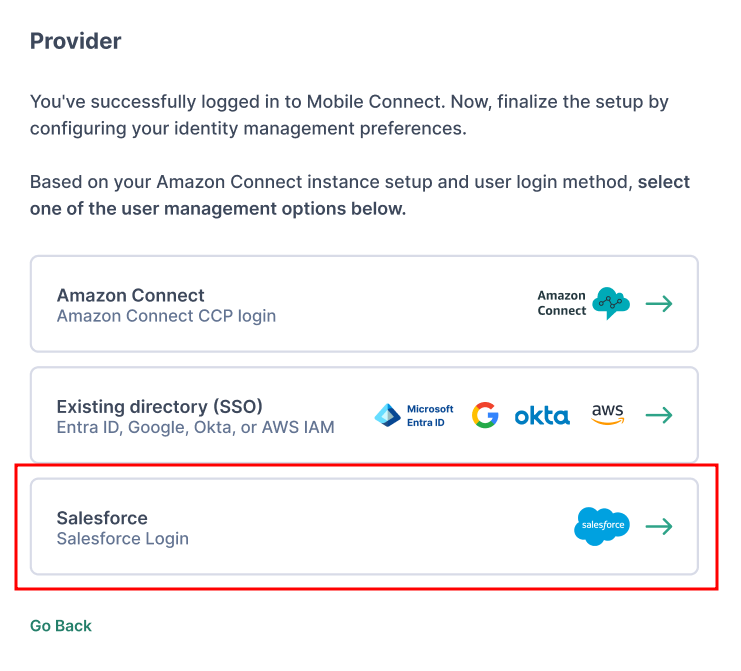
During the setup of Mobile Connect, you can set Salesforce as your Identity management provider. When users within your organisation want to login to Mobile Connect, they will be redirected to the Salesforce login for identification. If you have any questions regarding the Salesforce SSO setup, please contact us via mc.notifications@idealsystems.be.
2. CRM popup#
Mobile Connect for Amazon Connect -> Salesforce app#
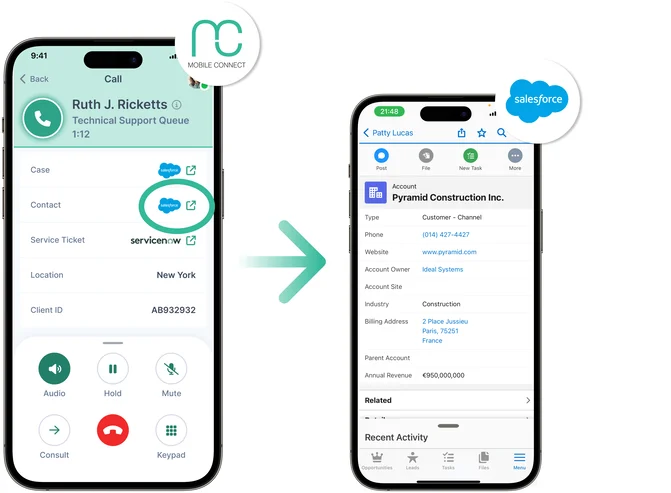
The CRM popup button is a custom button that is activated in Mobile Connect and that appears for every interaction. When clicking this button during an interaction, the Salesforce app with the relevant customer will open automatically and will allow you to quickly access the customer data.
This features can easily be configured via the admin console under "Data Controls -> Interaction CRM buttons". Please note that the button will only appear in case the dynamic data attribute is assigned in the respective Amazon Connect flow. More information about the Salesforce deep linking structure and how to refer to objects in the Salesforce Mobile App can be found here.
URL Example: salesforce1://sObject/$ID$/view
3. Click-to-dial#
Salesforce app -> Mobile Connect for Amazon Connect#
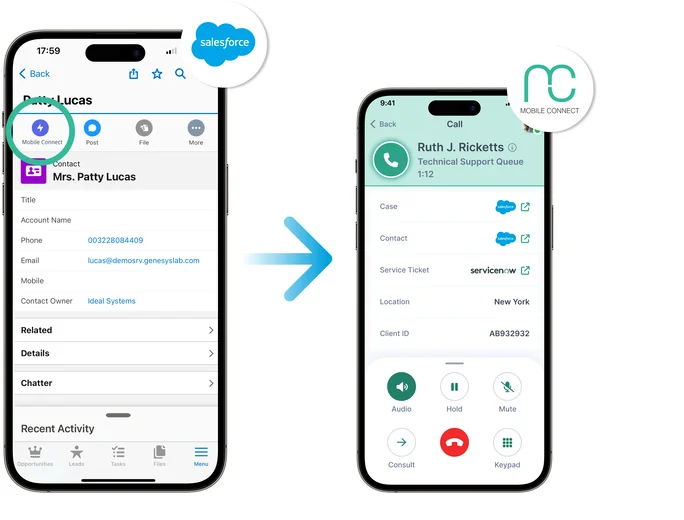
The click to dial button is a custom Salesforce package that can be installed on your Salesforce organisation. The package adds a button to your Salesforce UI named "Mobile Connect". When a user is viewing contact information in the Salesforce app, the custom button will provide the salesforce user the option to dial out via Mobile Connect for Amazon Connect.
You can find the Salesforce installation package and installation details to configure this within your Salesforce app here.
4. Interaction logging#
Mobile Connect for Amazon Connect -> Salesforce activities#
From a data perspective, a call on Mobile Connect is the same as a call on Amazon CCP. All routing and all data is handled by Amazon Connect.
If you want to log interaction details of interactions that occurred on Mobile Connect to Salesforce, you can use the Salesforce Voice native integration. More info can be found in this article. Keep in mind that there will always be a short delay between the end of the interaction and the creation of the record in Salesforce. If you have any other Amazon Connect flows writing info to this Salesforce record, make sure to add an adequate delay.