
Inactivity Timeout & HIPAA Compliance
Understanding inactivity Timeout & HIPAA compliance in Mobile Office for Genesys#
Mobile Office follows the same inactivity timeout behavior as Genesys Cloud. Session timeout settings are managed within Genesys and must be properly configured by customers.
Our solution is built on and integrated with Genesys Cloud, and therefore follows the same inactivity guidelines and limitations defined by Genesys.
What This Means for You#
- The inactivity timeout is controlled by Genesys Cloud, not within Mobile Office
- Mobile Office respects and enforces the same timeout behavior
- Users are automatically logged out after the inactivity timeout is reached
About HIPAA Compliance#
If HIPAA compliance is enabled on your organization, the default session timeout will be 15-minutes. This is not ideal from a mobile perspective, so we suggest changing this for your mobile users specifically:
-
Ensure your non-mobile users are identified by a specific Genesys Cloud group
-
Instead of setting up an organization wide timeout, set up a specific timeout for your non-mobile users under "Group Specific Timeout" in your Organizations Genesys Cloud settings.
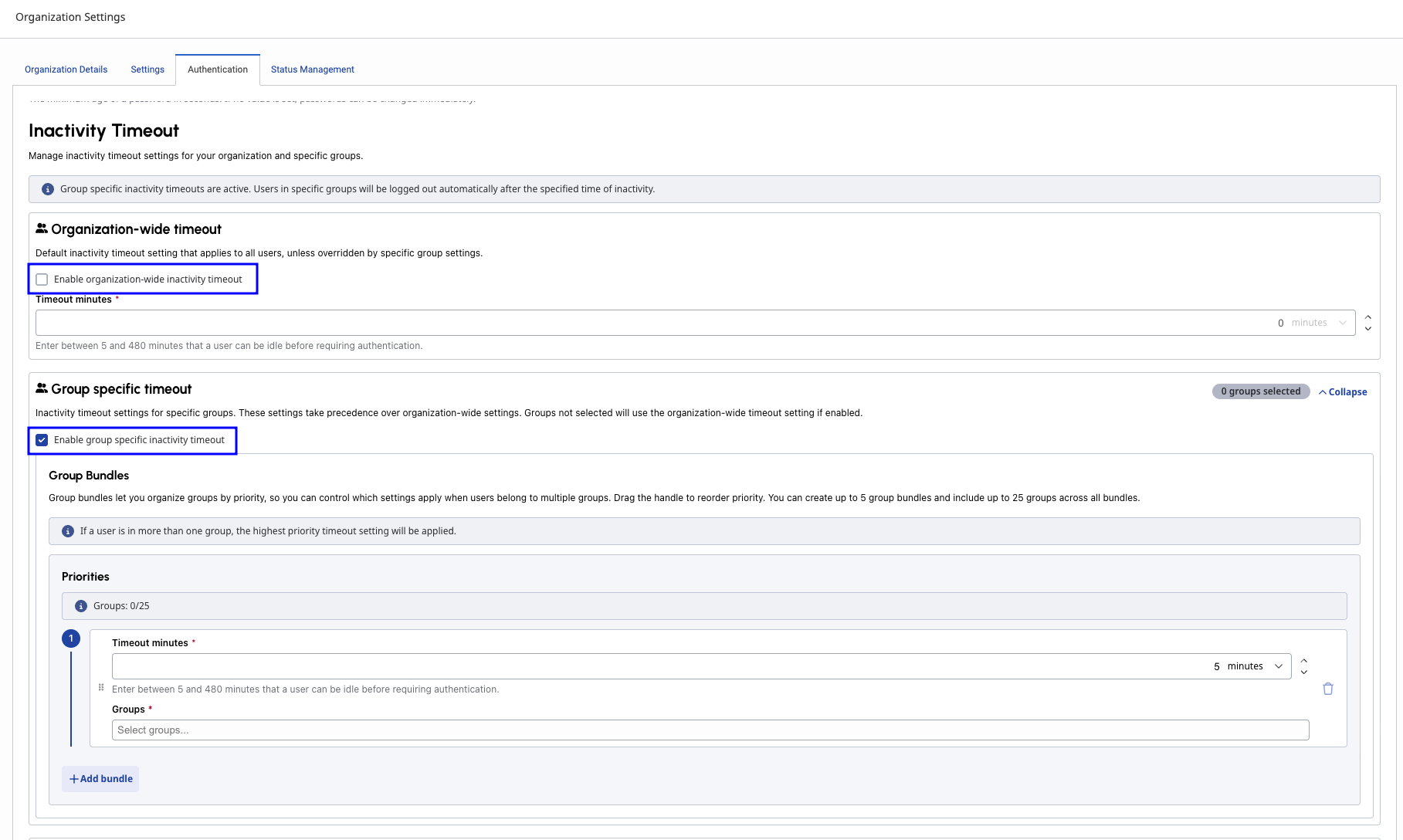
-
Optionally set up a timeout for your mobile users as well.
Official Reference#
For full details, please refer to the official Genesys articles:
👉 https://help.genesys.cloud/articles/hipaa-compliance/
👉 https://help.genesys.cloud/articles/set-an-automatic-inactivity-timeout/