
Ensure calls don't drop when network changes or drops momentarily
When the user's network drops momentarily or changes from WiFi to cellular, the WebRTC (calling over the internet) call can disconnect and be dropped. This can be mitigated by enabling WebRTC recovery ("Attempt recovery") in Genesys Cloud. Since Mobile Office 12.3.3, there is no Mobile Office admin setting to enable: you only need the Genesys Cloud phone and telephony settings below.
Required Mobile Office Version#
Users need to be on Mobile Office 12.3.3 or later for this feature to work.
Enabling "Attempt Recovery" while on earlier Mobile Office versions will result in unexpected behaviour.
Required settings in Genesys#
In order to enable WebRTC recovery, set up the following settings in Genesys Cloud:
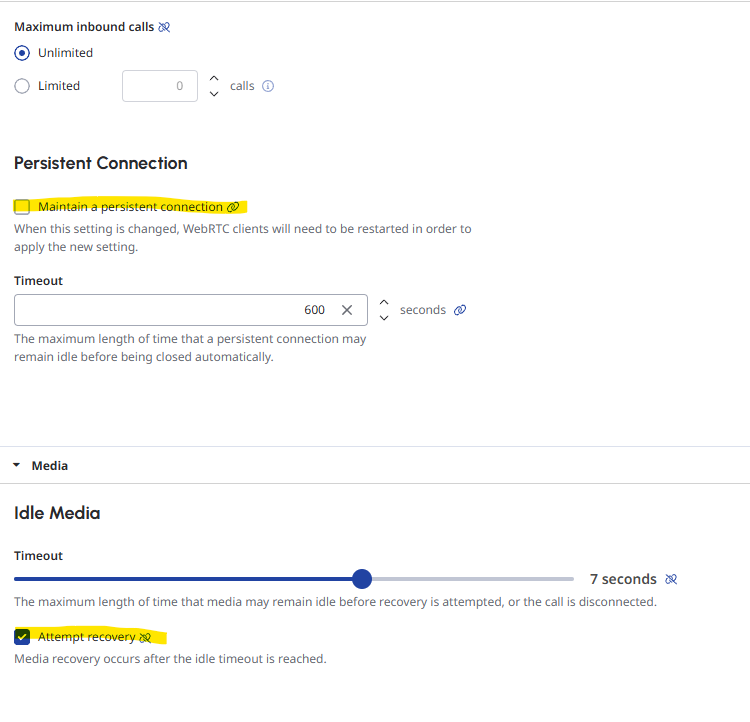
1. On phone level#
- Ensure "Maintain a persistent connection" is disabled
- Ensure "Attempt recovery" is enabled
- The timeout value shouldn't matter
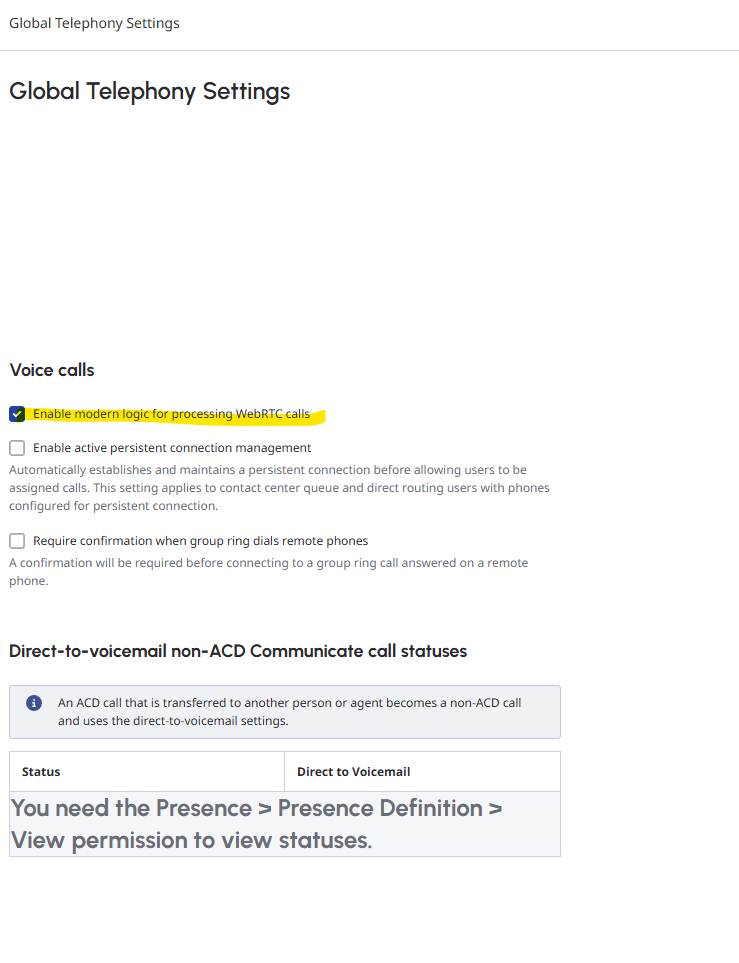
2. In global telephony settings#
- Ensure "Enable modern logic for processing WebRTC calls" is ticked
- In here, the 'enable active persistent connection management' checkbox can be checked, as long as on phone-level the persistent connection is disabled for Mobile Office users
What do users see while a call reconnects?#
While we try to recover the call, the app gives visual and audio feedback, so users know the call is reconnecting. This needs Mobile Office 12.3.5 or later.
If the internet connection drops and the call can't be recovered, we show a "Call lost" screen.