
General
Tips
Feature
Configurations
Updated:January 28, 2026
How to set Mobile Office as your default calling application on iOS
Follow these simple steps and you’ll be set in minutes.
Prerequisites#
- iPhone running iOS 17 or later.
- Latest Mobile Office for Genesys app installed from the App Store (12.2.1 onwards).
- Mobile Office has required permissions: Contacts, Microphone and Notifications.
Set Mobile Office as the default calling app#
-
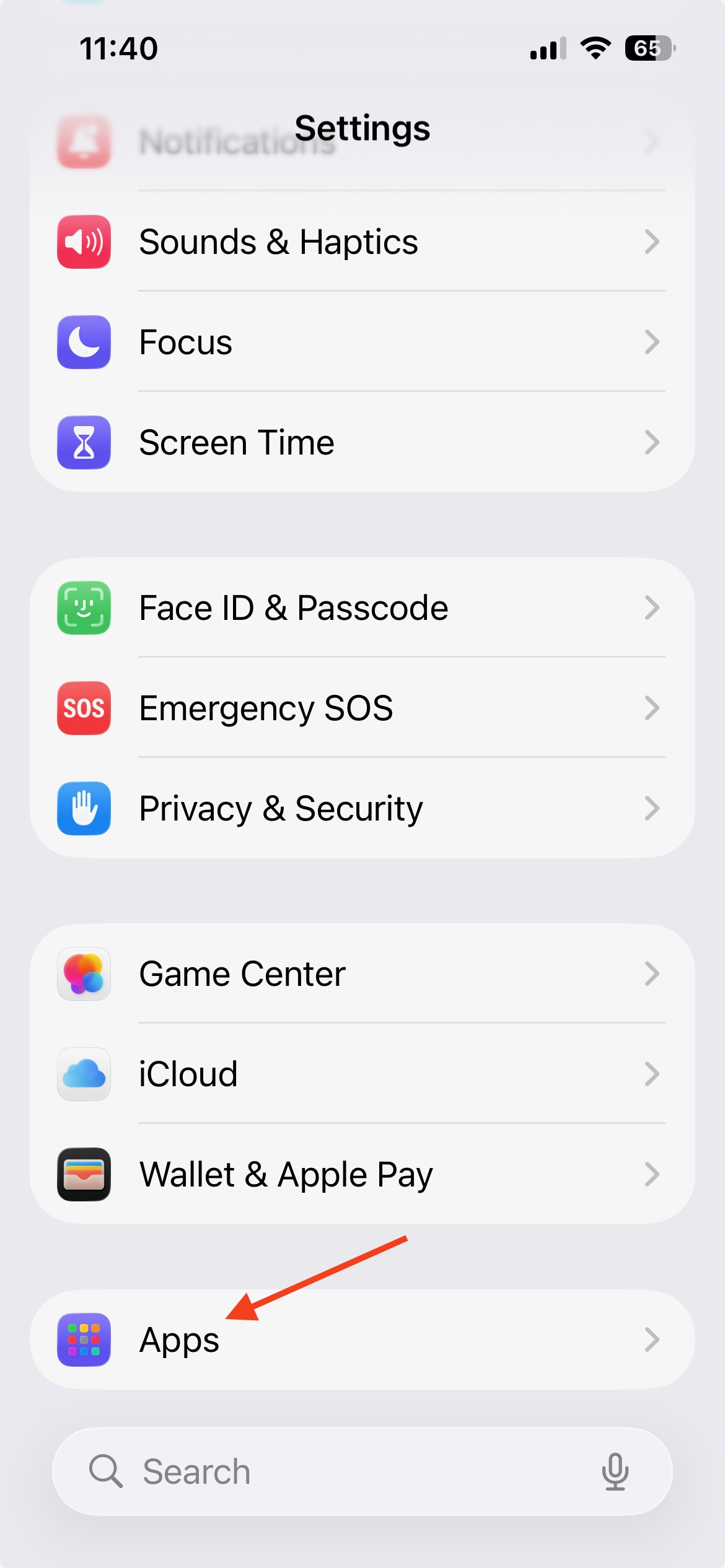
Open Settings > Tap Apps
-
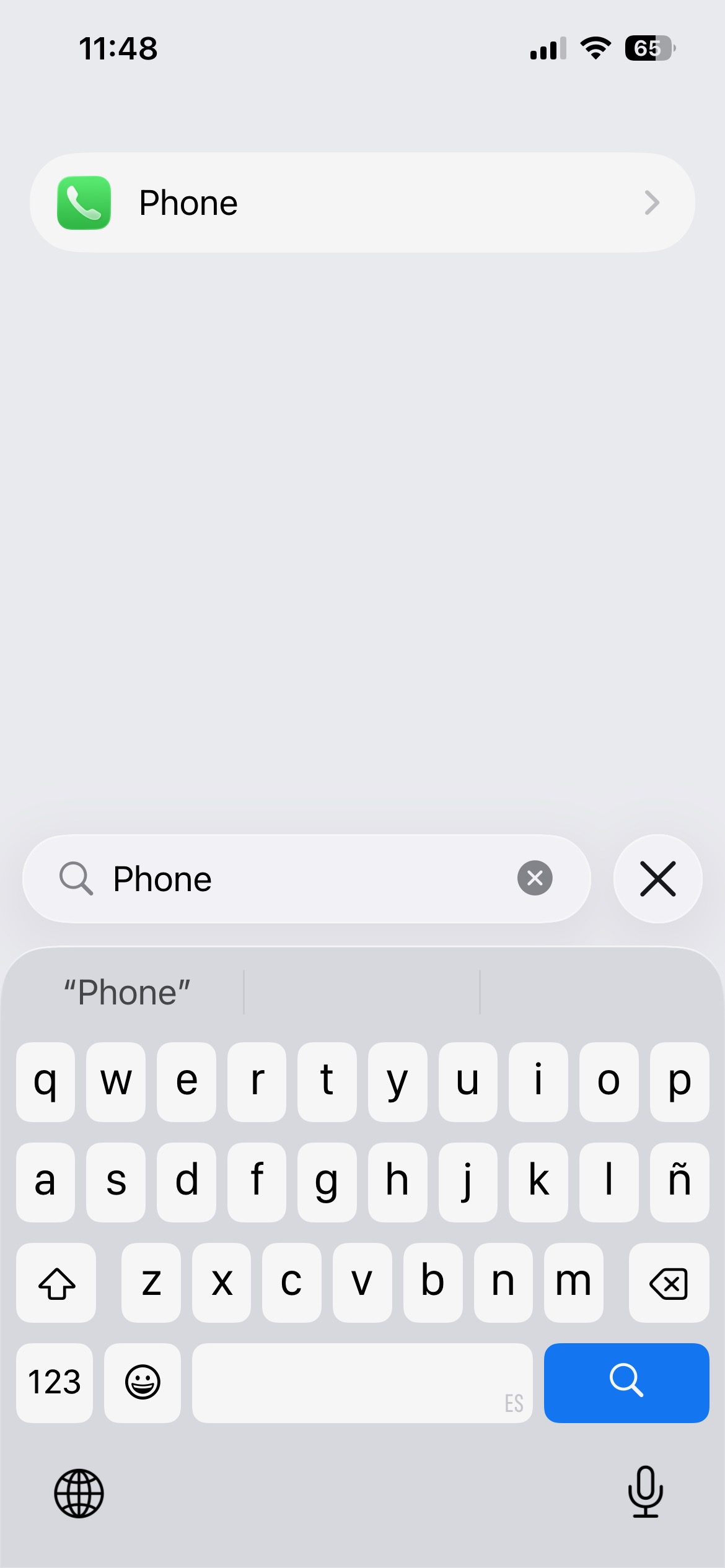
Search for Phone
-
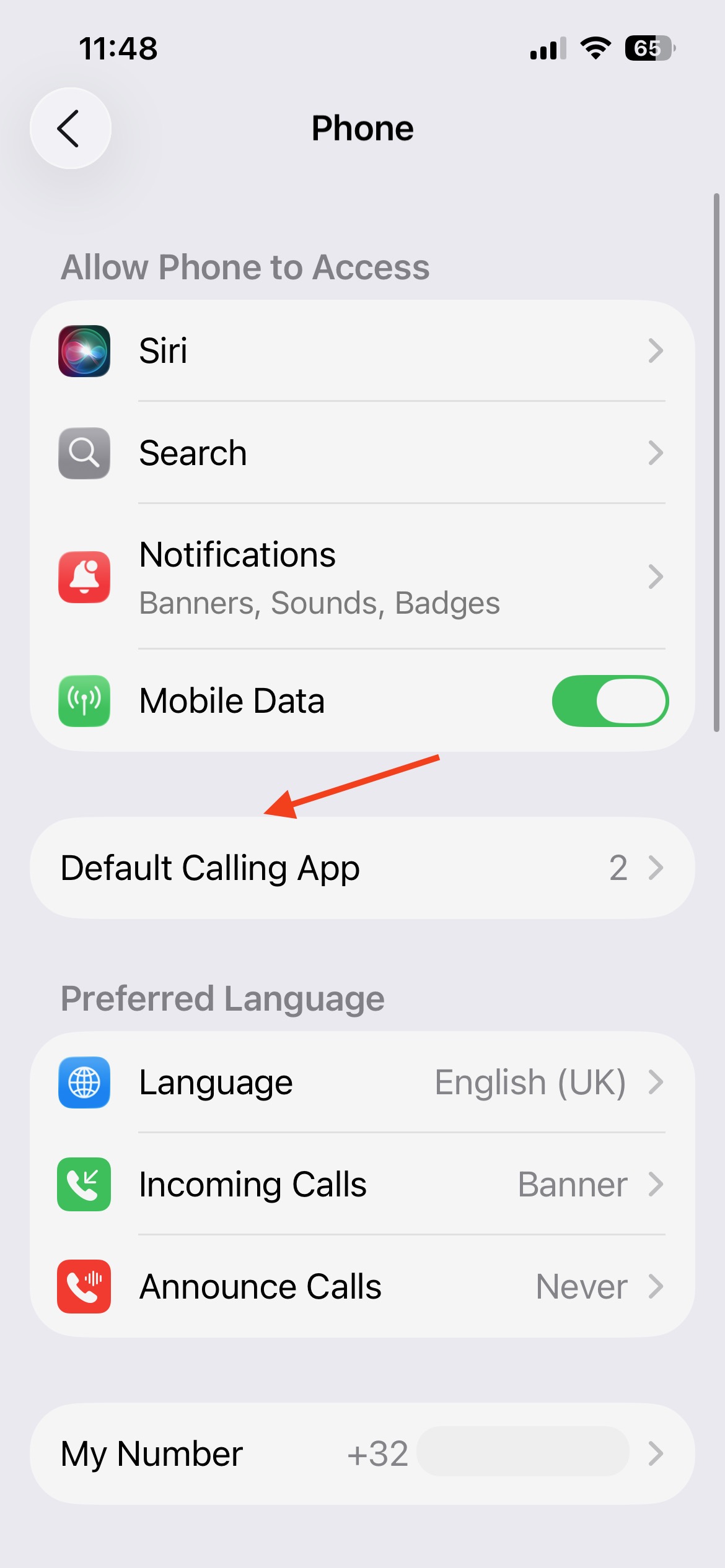
Go to Default calling app
-
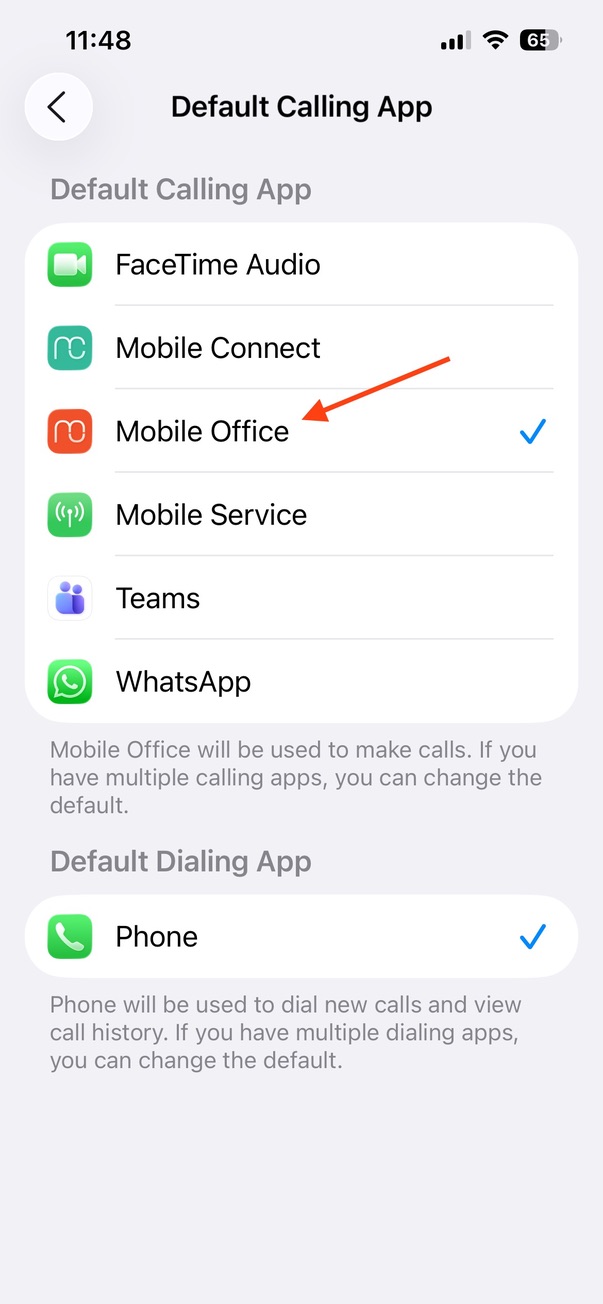
Choose Mobile Office in the list of eligible Default Calling Apps > tap Mobile Office to select it. A check mark indicates it’s active.
-
Make a test call > Open Contacts, tap a contact with a phone number. Mobile Office should open and will go ahead a place the call. Confirm call connects and appears in Mobile Office Recents Page.
Important note#
Mobile Office only launches when you tap a phone number from your Contacts. If you dial manually, use the iPhone Recents page (unless you've used Mobile Office to call before), or ask Siri to call someone, the call will go through your regular cellular line instead.