General
Updated:January 28, 2026
Logging in with SSO
Your administrator may have enabled SSO (login via MS Azure or other) on your Genesys environment
In Mobile Office, if you want to login using SSO, you will need to follow the steps below
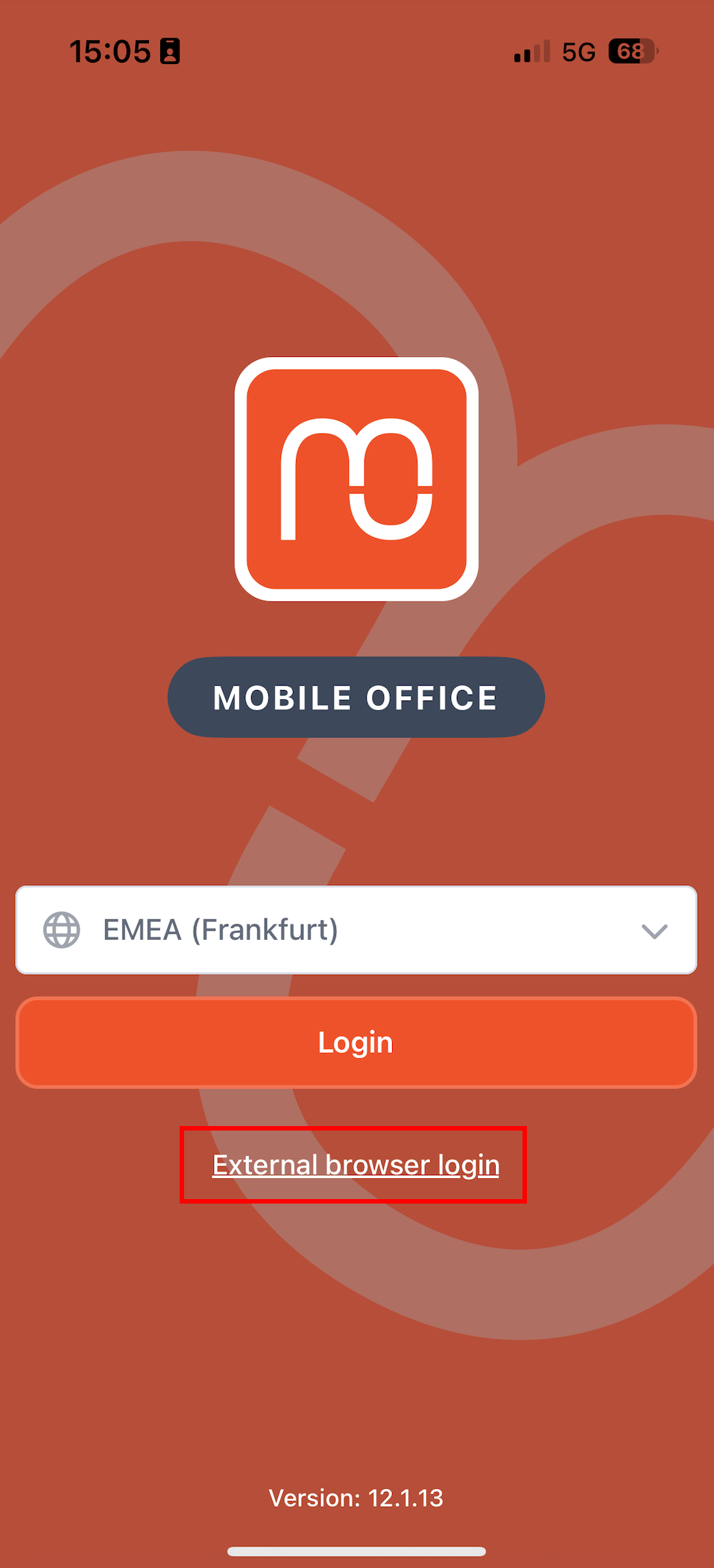
- In the initial screen, pick the region in which your Genesys organisation is located
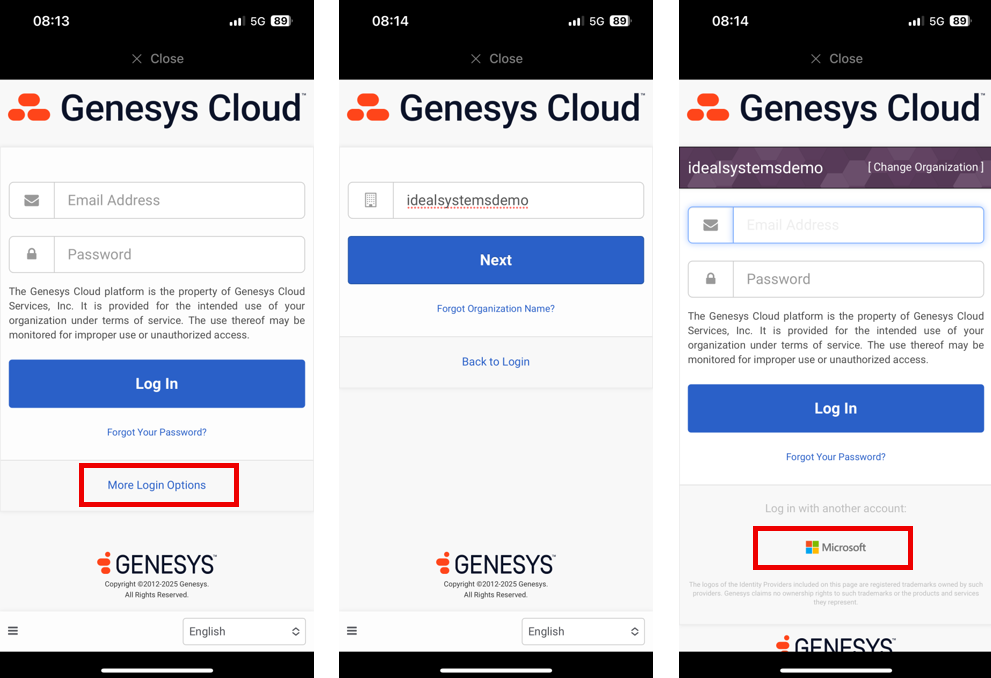
- In the screen that pops up, scroll down and click 'More login options'
- You will be prompted to enter the name of your organisation
- Once this is entered, and if SSO is configured on your org, you will see a 'tile' (sample for microsoft in the screenshot below) on which you can click to initiate login.
Important note: If your organisation uses Microsoft Intune or if something goes wrong during this process, try again and click "External browser login" on the first screen. Afterwards repeat the steps above.