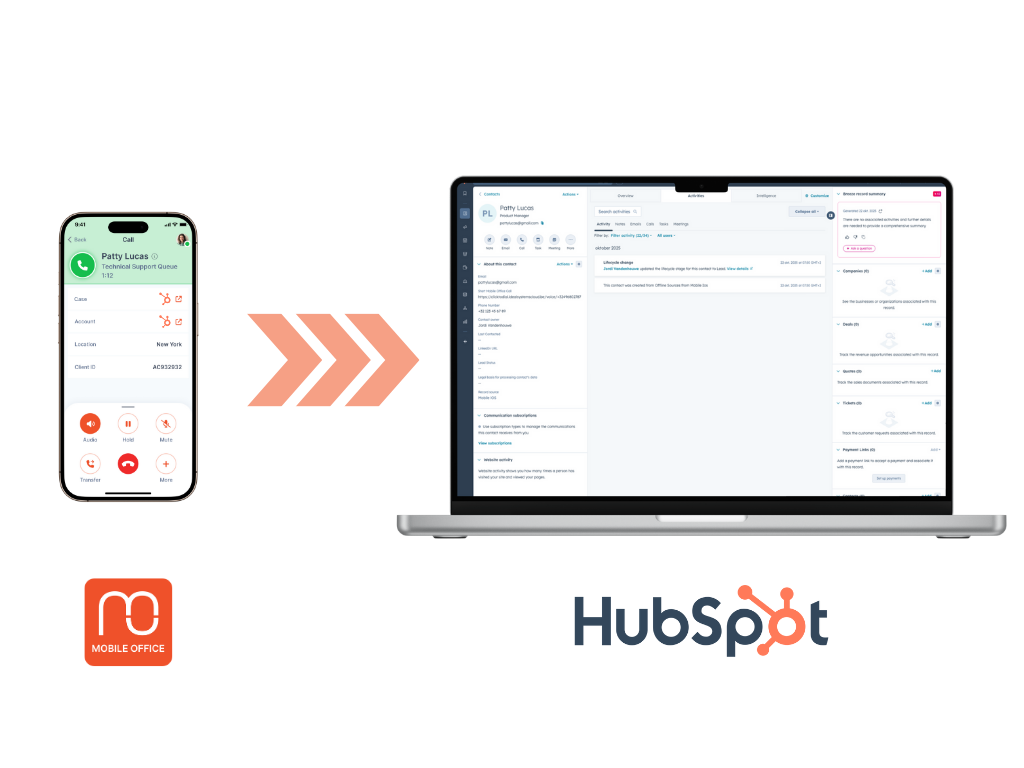
Which Hubspot integrations are supported?
Further building upon the integration possibilities between Genesys Cloud and Hubspot, we offer multiple ways of integrating Mobile Office, the mobile app for Genesys Cloud, with Hubspot in both directions. Please find below an overview of the integration possibilities.
1. Show CRM data & link#
Mobile Office for Genesys -> Hubspot App#
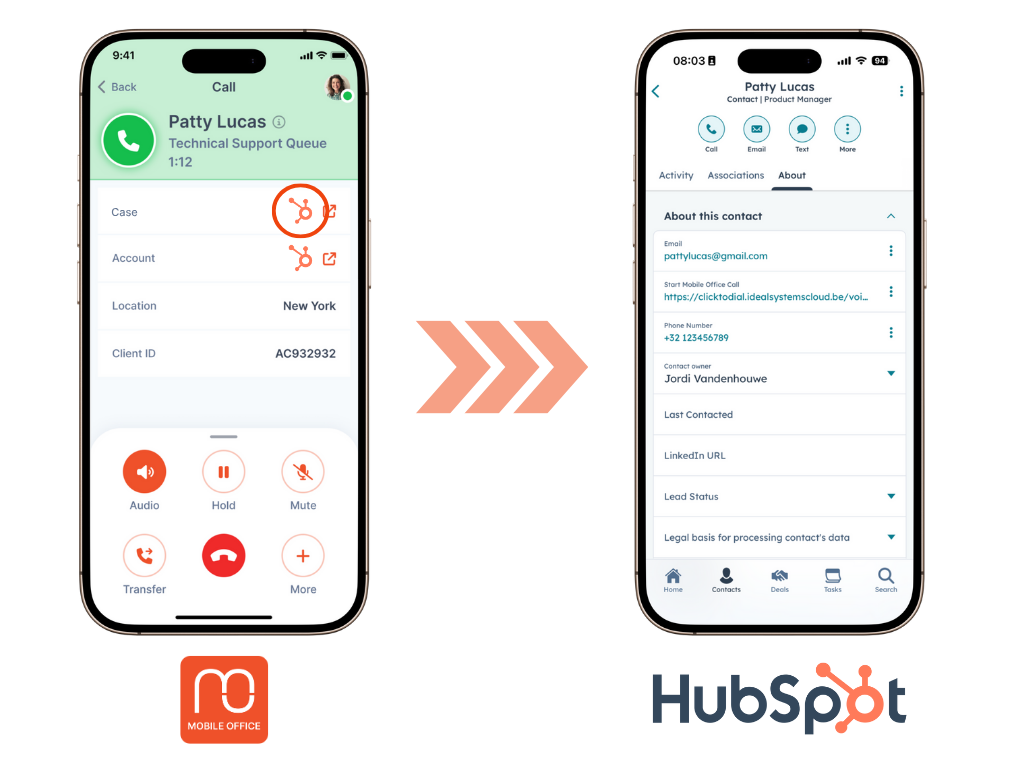
You can add data from Hubspot objects and show them during an interaction in Mobile Office. You can also create an app-to-app link to open the desired Hubspot object (like the contact record) with 1 click.
This Hubspot integration is free of charge and included in your Mobile Office subscription. This features requires to provide the hubspot data or URL referring to the object as participant data in Genesys Architect.
From a Mobile Office perspective, you can activate this option in the Mobile Office Admin Portal once the participant data is available in Genesys Cloud. For displaying data, use "Participant Data". For adding an external link, use "Integrations (CRM & Other)".
2. Click-to-dial#
Hubspot App -> Mobile Office for Genesys#
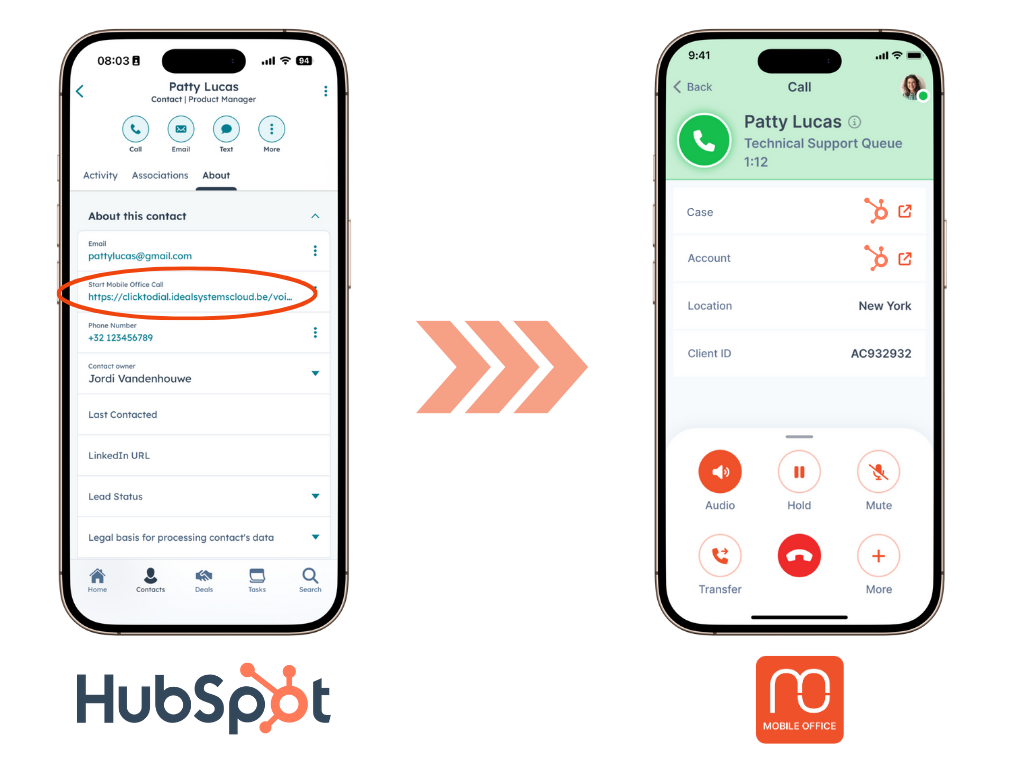
The click-to-dial button is a custom button that your organization can add to your Hubspot App. When a user is viewing contact information in the Hubspot App, the custom button will provide the user the option to dial out via Mobile Office for Genesys. More information about the click-to-dial URL that should be triggered by the custom button can be found here.
This Hubspot integration is free of charge and included in your Mobile Office subscription.
3. Interaction logging#
Mobile Office for Genesys -> Hubspot records#
Mobile Office is built on top of Genesys Cloud. This means that all call data, analytics and recordings are directly available in Genesys Cloud. If you want to have call interaction data of Mobile Office calls directly in Hubspot, we advise to set up a back-end integration (via Genesys data actions) between Genesys Cloud and Hubspot that syncs the data. This way, your Hubspot-Genesys Cloud data stream will automatically work for both your desktop usage and Mobile Office usage.
Note: This part of the guide (Interaction logging) assumes you have working knowledge of both Genesys Cloud and Hubspot APIs. The integration between Mobile Office, Genesys Cloud, and Hubspot requires independent configuration of both platforms, including the setup of Genesys Data Actions, OAuth connections, and Hubspot objects. This article is intended as a general guide and does not include step-by-step configuration instructions. You or your technical team will need to implement and adapt the integration based on your specific environment and requirements. If you want to set up an integration only for mobile calls, you can use the "isMobile = True" boolean in the participant data to differentiate between desktop and mobile calls.